
CRMYour recruiting team's shared record
Every candidate, every conversation, one record.
The CRM keeps profiles, notes, groups, journeys and every message ELLA sent in one shared workspace, so whoever picks up a candidate next starts with the full story.
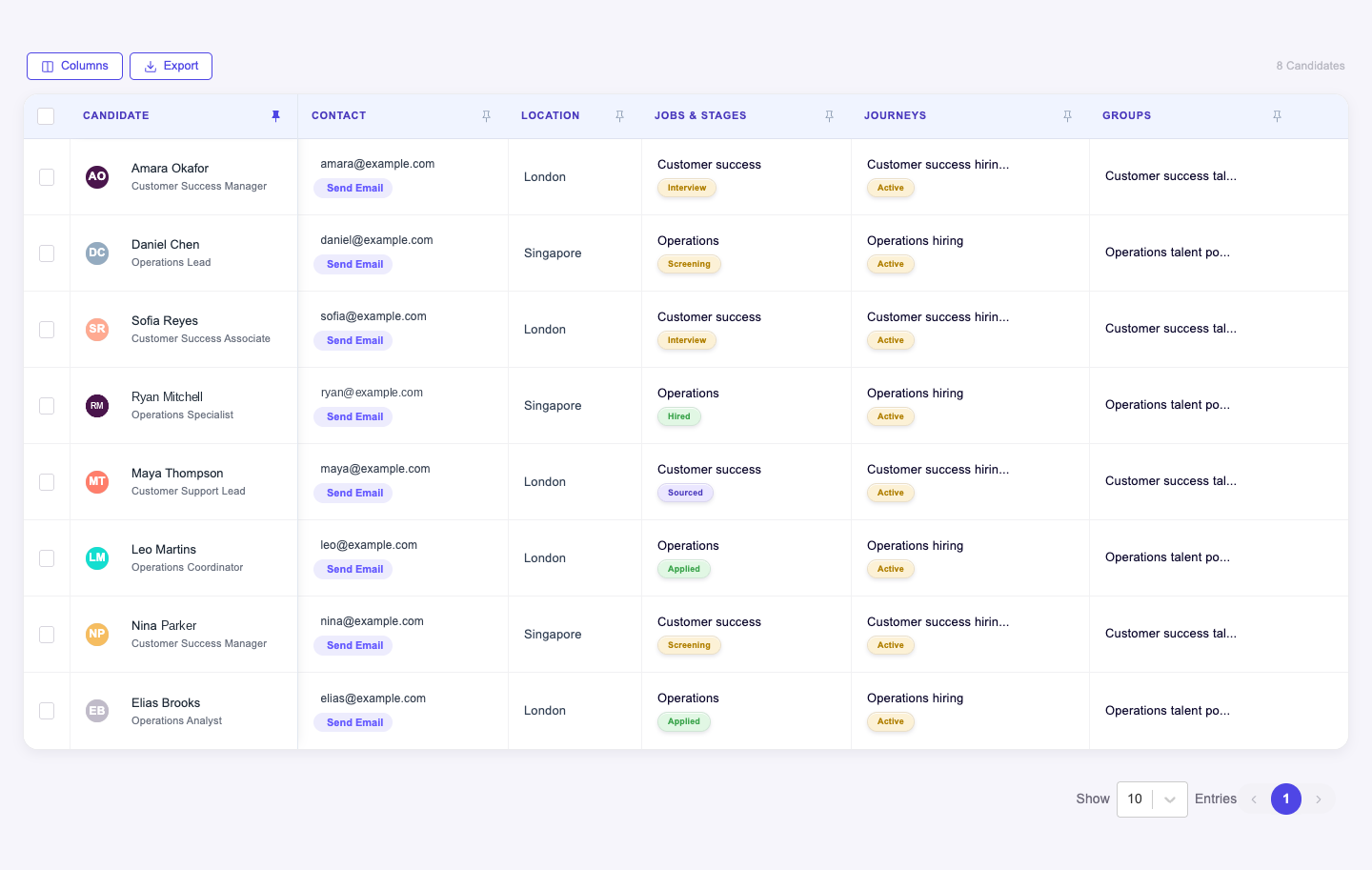
Help recruiters continue from the context your team already has, rather than restarting the candidate relationship at every handoff or new opening.
What CRM does for your team.
From a new lead to a long-term relationship.
- 01
Find the candidate record
Start in your company's candidate directory and review the profile and résumé information. Establish the existing context before taking another action.
- 02
Organize the recruiting work
Use groups and pipeline stages to bring the relevant candidates into view. Make the worklist reflect the opportunity or process you are managing.
- 03
Add what the team learns
Update record details and write notes after meaningful interactions. Preserve the information another recruiter needs to continue the conversation.
- 04
Review before the next move
Look at activity, communications and journey context before a follow-up or stage change. Carry the candidate history into the next piece of work.
Where CRM sits in the hire.
One journey, from first click to a productive first month. Every hand-off carries the full context forward.
Where the CRM earns its keep.
Recruiter-to-recruiter handoffs
Let a colleague pick up the candidate relationship with the résumé, notes and prior activity available for review.
Working a hiring pipeline
Organize candidates by stage and use the record to understand who needs attention, a conversation or a next-stage decision.
Revisiting existing candidates
Return to your company's candidate records when a new opportunity arises. Use the known history to prepare a relevant conversation instead of starting from an empty profile.
Your rules. Your decisions.
CRM does the repeatable work inside the limits you set. People stay in charge of the calls that matter.
ISO/IEC 27001SOC 2GDPR
Your records, not a promised external database
CRM is the workspace for your company's candidate information. It does not imply access to an external database of profiles or a guaranteed pool of new candidates.
Notes should support a useful handoff
Keep candidate notes relevant to recruiting and understandable to the next reviewer. Shared context is only useful when the team can interpret it.
Stage and history belong together
Review the candidate's activity and communication context alongside their pipeline position. A stage label alone cannot explain the full relationship.
Questions about CRM.
Something else? Ask us on a call or see enterprise deployment and integrations.
What information does the CRM bring together?
The CRM supports company candidate records, résumé details, notes, groups, pipelines and stages, activity history and communication context. Candidate journey information helps connect the record to ongoing recruiting work.
How is CRM different from SERA?
SERA attracts and captures new interest through recruiting content and social campaigns. CRM organizes your company's candidate records and the context your team uses to manage those relationships.
How is CRM different from One Link?
CRM is for the recruiting team to manage records and context. One Link is the candidate-facing portal for progress and next actions. They serve different sides of the hiring process.
See CRM on your hiring.
Bring one open role. We’ll show you CRM working on it, with your process and your rules.