
PipelinesSetup and administration
Make candidate progression explicit for every job.
Define recruiting stages and maintain their order, then move applications through the process. Pipeline controls also connect stages to email and onboarding permissions rather than leaving each handoff implicit.
What you can do with Pipelines.
Create and update company pipelines
Set a default pipeline and order its stages
Move candidates between recruiting stages
Configure stage email and onboarding permissions
How it works.
- 01
Define the stages
Create the sequence your team actually uses.
- 02
Work the applications
Review candidates in each stage and move them when ready.
- 03
Control the handoff
Set the relevant communication and onboarding permissions.
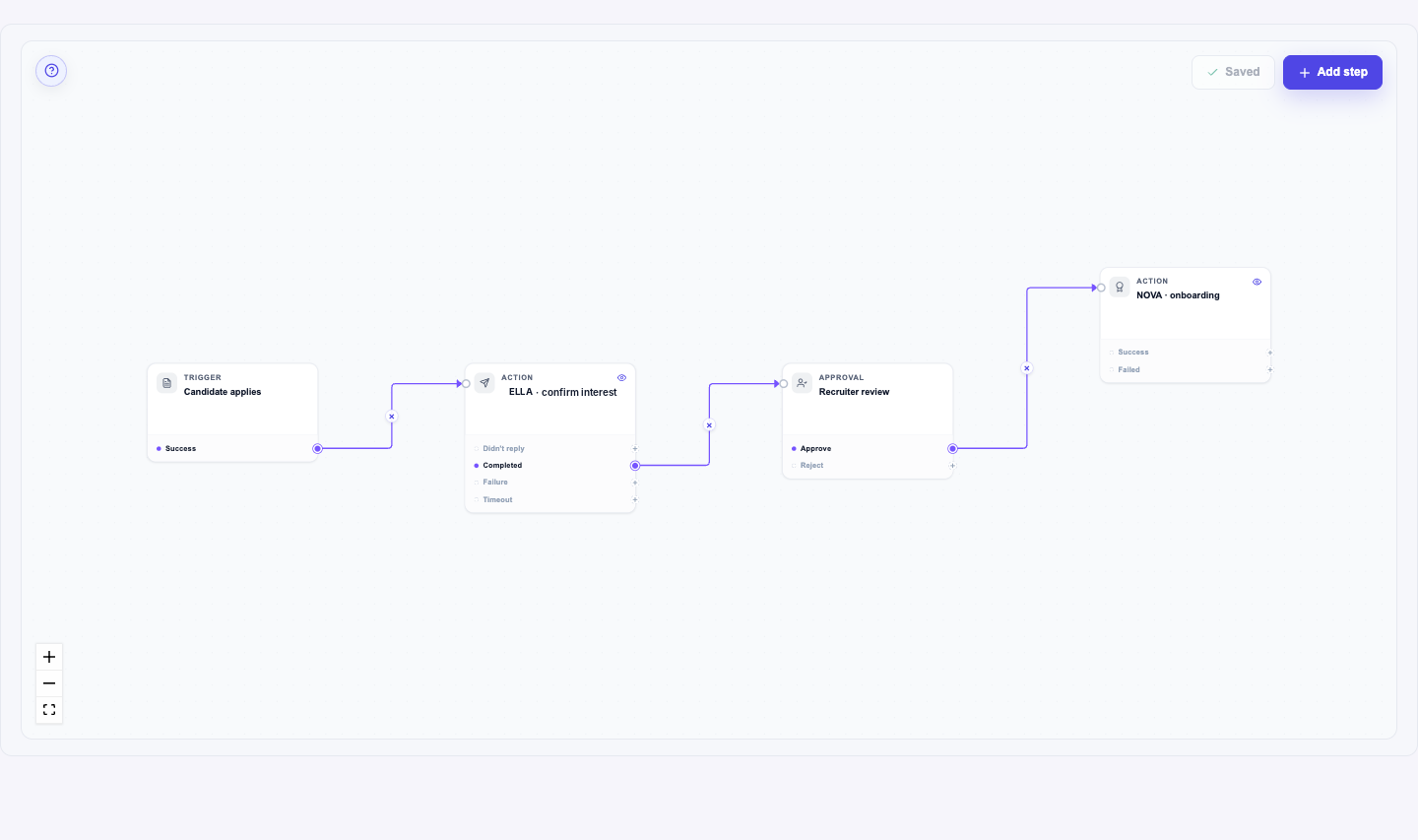
And this is what it looks like when the agents run it.
Built for
- Recruiting leads
- Recruiters
More in setup and administration
- Email TemplatesReuse the right message without rewriting it for every candidate.
- Career SitePublish a career experience with controlled previews and versions.
- Teams & Access ControlGive people the access their recruiting responsibilities require.
- Custom FieldsCapture the recruiting details your business actually uses.
- Knowledge BaseMaintain the answers behind supported recruiting conversations.
See Pipelines on your hiring.
Bring one open role. We’ll show you this feature and the AI agents working on it, with your process and your rules.