
AssessmentsInterviews and assessments
Build assessments that fit the role and review the results.
Create tests with selected questions or supported AI-assisted setup, then invite candidates and inspect their submissions. Assessment configuration, invitations and result review stay connected to recruiting records.
- 646languages, spoken and written
- CEFRone language standard across markets
- 4.8/5candidate rating
What you can do with Assessments.
Create and duplicate assessments
Add system or recruiter-authored questions
Invite candidates and resend invitations
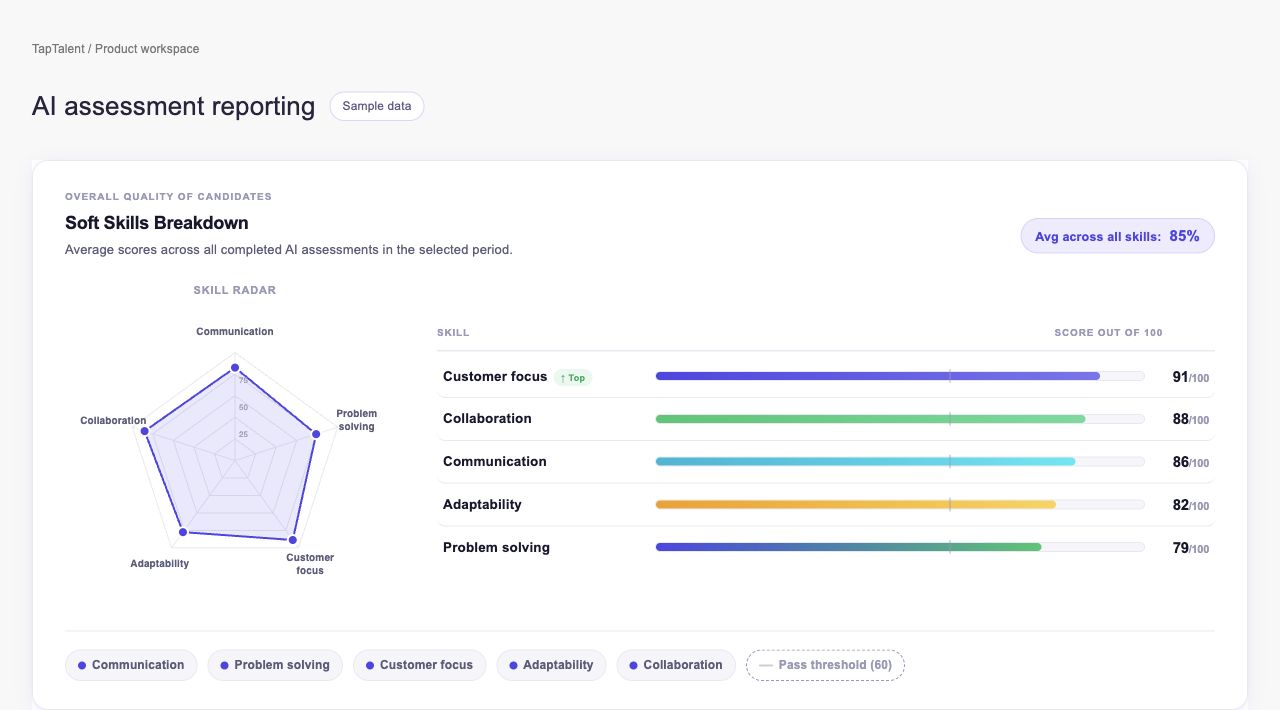
Review candidate results and assessment analytics
How it works.
- 01
Prepare the assessment
Set up the test and choose its questions.
- 02
Invite the candidates
Send assessment invitations from the supported recruiting flow.
- 03
Review the submissions
Inspect results and the associated candidate record.
And this is what it looks like when the agents run it.
Built for
- Recruiters
- Assessment teams
Works with
See Assessments on your hiring.
Bring one open role. We’ll show you this feature and the AI agents working on it, with your process and your rules.