
Job ApplyJobs, ATS and job boards
Collect applications directly into the job's recruiting process.
Present public job details and collect candidate applications using the configured form. Post-apply flows and application fields connect candidate intake with the next stage of recruiting.
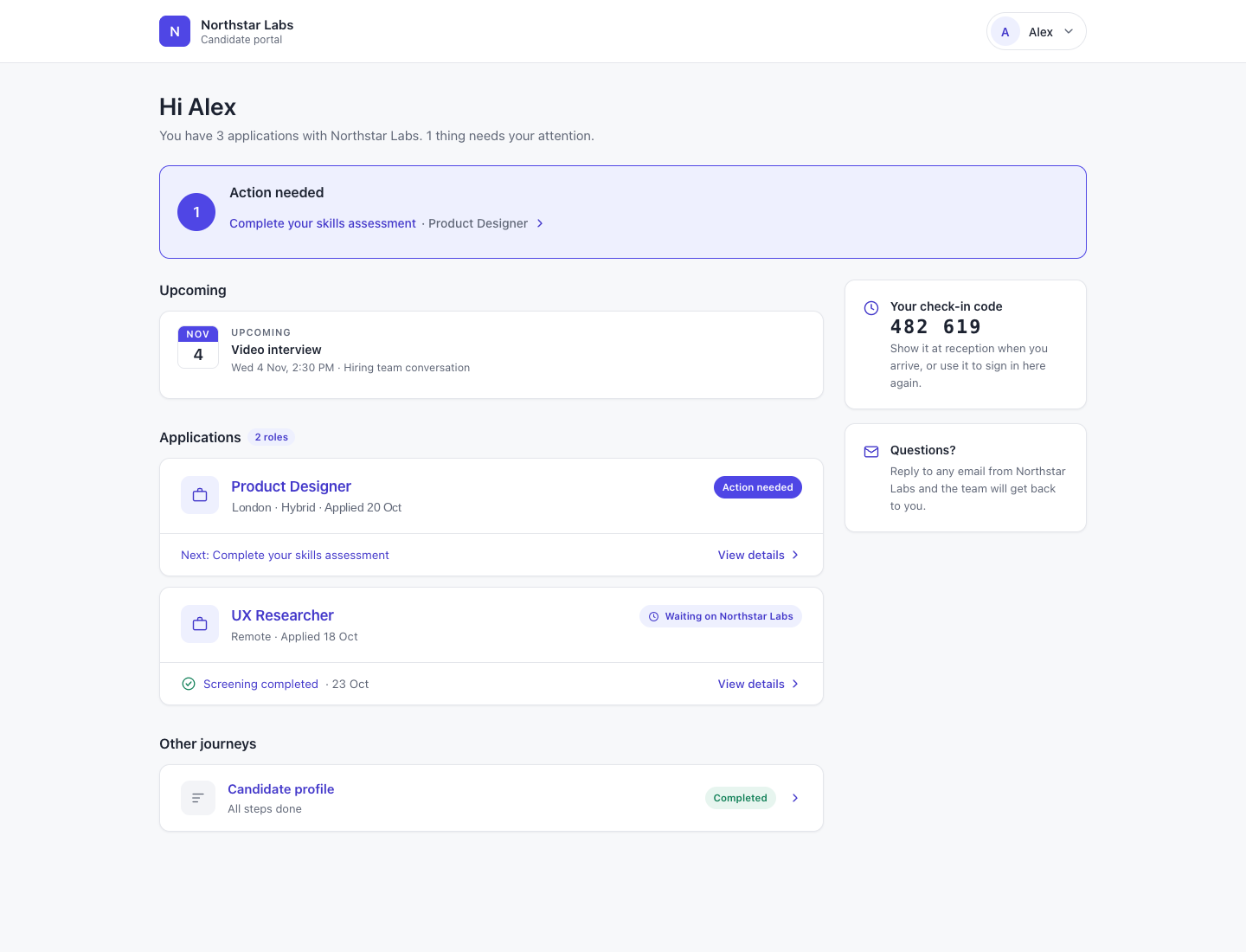
What you can do with Job Apply.
Display public job details and listings
Configure job application forms
Save candidate applications against jobs
Connect supported post-apply flows and screening
How it works.
- 01
Prepare the application
Set the fields and next steps for the job.
- 02
Receive the application
Let candidates submit through the public application experience.
- 03
Continue the process
Review the application and use its configured post-apply flow.
And this is what it looks like when the agents run it.
Built for
- Recruiters
- Candidates
More in jobs, ats and job boards
- CandidatesKeep the candidate relationship together, not scattered across jobs.
- Candidate GroupsOrganize reusable talent pools around the way your team recruits.
- Candidate JourneySee how a candidate reached their current stage.
- Jobs HubManage jobs and their candidates in the same workspace.
- Candidate SharingShare a candidate for review without losing the review trail.
- Job BoardsManage job distribution through supported board connections.
See Job Apply on your hiring.
Bring one open role. We’ll show you this feature and the AI agents working on it, with your process and your rules.