
Comms CenterOutreach and engagement
Review campaign communication across calls, email and SMS.
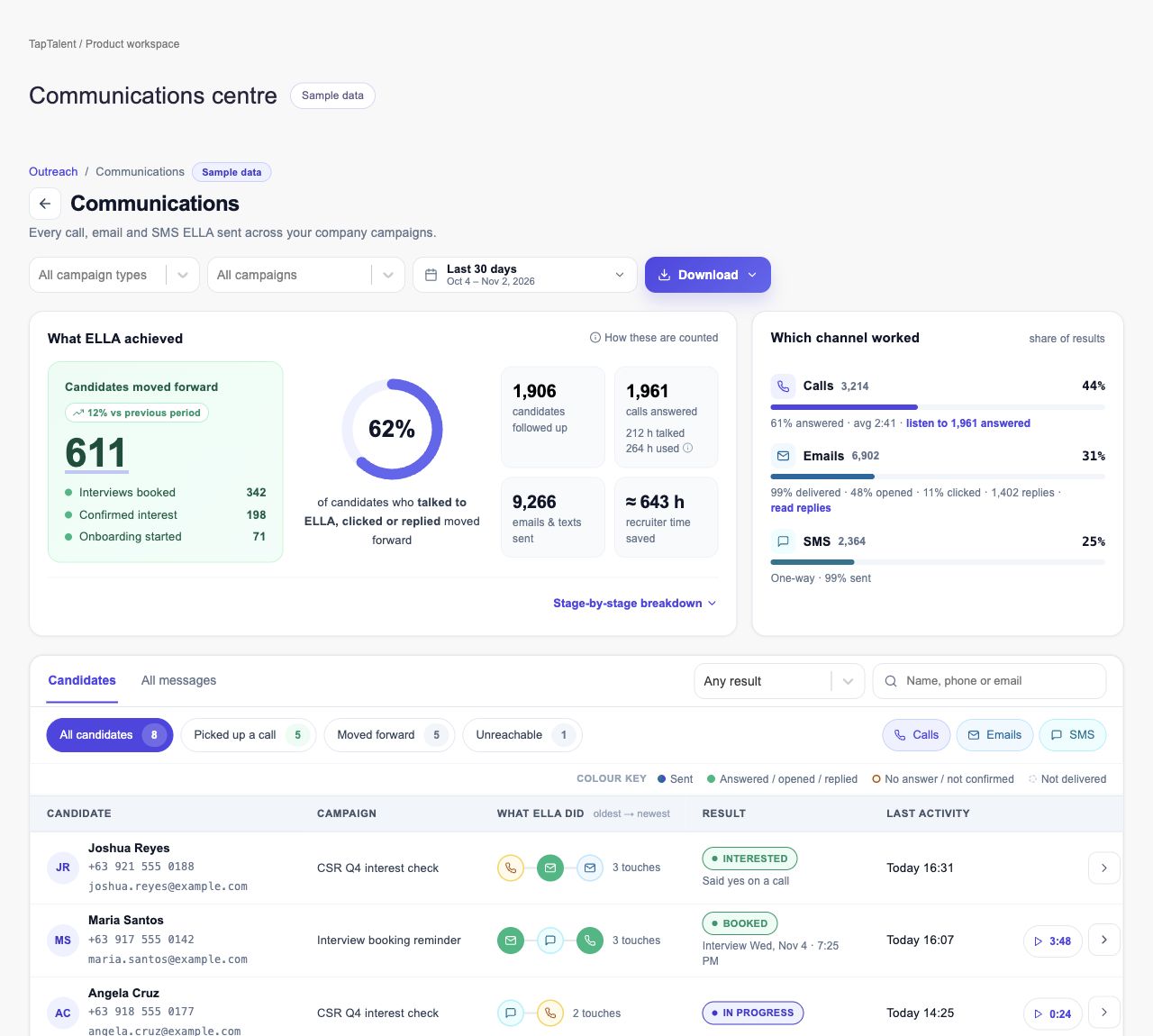
Inspect what candidate-engagement campaigns sent and what happened next. Comms Center is a reporting surface with candidate timelines, transcripts and exports—not a claim that every channel can be composed from one inbox.
What you can do with Comms Center.
Filter communication by campaign, channel and outcome
Read candidate communication timelines
Open available call transcripts, recordings and sent emails
Export candidate and message reports
How it works.
- 01
Set the reporting scope
Choose campaigns, dates, channels and results.
- 02
Inspect an interaction
Open a candidate timeline or a specific communication.
- 03
Share the evidence
Export the filtered records for operational review.
And this is what it looks like when the agents run it.
 Switched to WhatsApp
Built for
- Recruiting operations
- Team leads
Works with
More in outreach and engagement
- Contact EnrichmentMake selected profiles usable for recruiter outreach.
- OutreachBuild recruiting campaigns with repeatable steps and follow-up.
- EmailSend recruiting messages with reusable content and connected accounts.
- SMSKeep candidate text conversations attached to recruiting work.
- CallsConnect phone conversations with candidate follow-up.
- WhatsAppManage recruiting conversations through connected WhatsApp channels.
See Comms Center on your hiring.
Bring one open role. We’ll show you this feature and the AI agents working on it, with your process and your rules.