
FormsOnboarding and operations
Collect candidate information through reusable, trackable forms.
Build forms with questions and document requirements, assign them through flows and review submissions. Supported answers can be applied to the job application rather than copied manually between records.
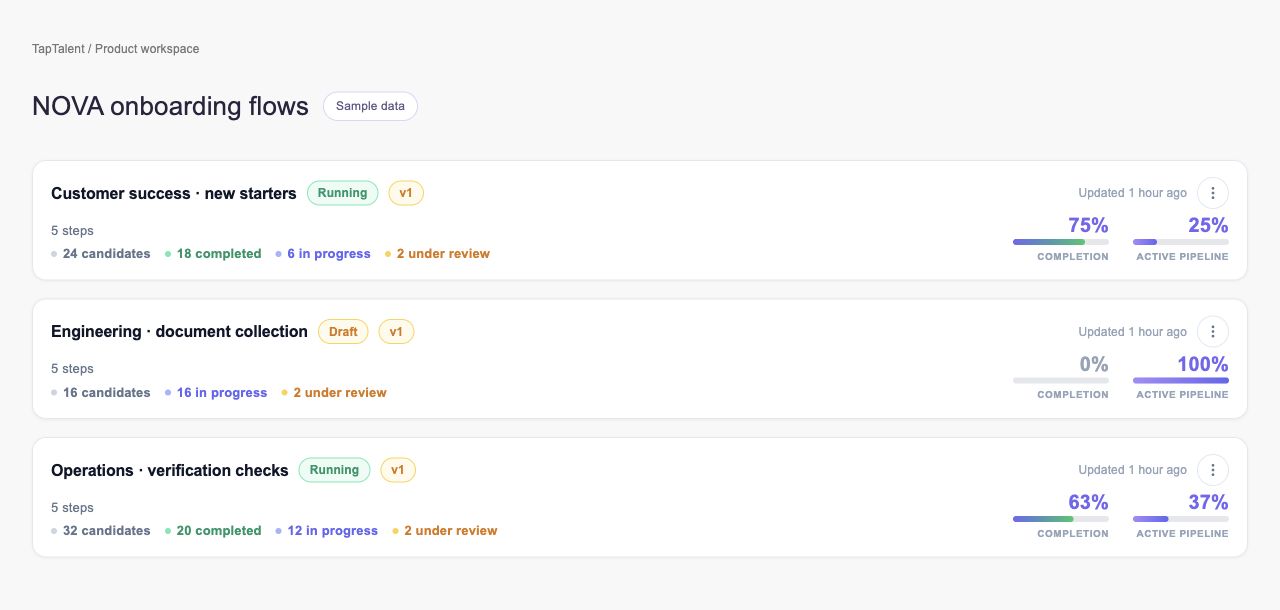
What you can do with Forms.
Create and maintain forms and questions
Attach document templates to supported questions
Send forms through candidate onboarding flows
Review submissions and apply supported answers to applications
How it works.
- 01
Build the form
Choose the questions and document requirements.
- 02
Send it to the candidate
Start the supported flow or resend an existing invitation.
- 03
Review the response
Inspect answers and apply supported fields to the application.
And this is what it looks like when the agents run it.
Built for
- Recruiting operations
- Onboarding teams
More in onboarding and operations
- Self-SchedulingLet candidates choose from the interview schedules you configure.
- AttendanceRecord who attended and correct the record when needed.
- Referral TemplatesDefine referral programs and track the work behind each reward.
- Document TemplatesPrepare reusable documents with the fields your process needs.
- E-SignaturesMove documents from invitation to a reviewable signing record.
- Job OffersPrepare and send offers with revision and withdrawal controls.
See Forms on your hiring.
Bring one open role. We’ll show you this feature and the AI agents working on it, with your process and your rules.